Week 11: Writing Functions & Organizing R Code
Why write functions?
- Avoid repetition: Don’t Repeat Yourself (DRY principle)
- Improve readability: Give meaningful names to operations
- Reduce errors: Fix bugs in one place, not many
- Make code testable: Easier to verify correctness
- Enable reuse: Use the same function across projects
Function basics
Anatomy of a function
- Name: how you’ll call the function
- Arguments: inputs to the function
- Body: the code that runs
- Return value: what the function outputs
Simple example
[1] 8[1] 8Return values
- Functions return the last expression evaluated (implicit return)
- Or use
return()for explicit return (clearer for complex functions)
Default arguments
Example: Standardizing variables
[1] -1.2649111 -0.6324555 0.0000000 0.6324555 1.2649111 NA[1] 8.881784e-17[1] 1The ellipsis (...) argument
- The
...allows passing additional arguments to functions called within - Useful when you want to pass arguments through to another function
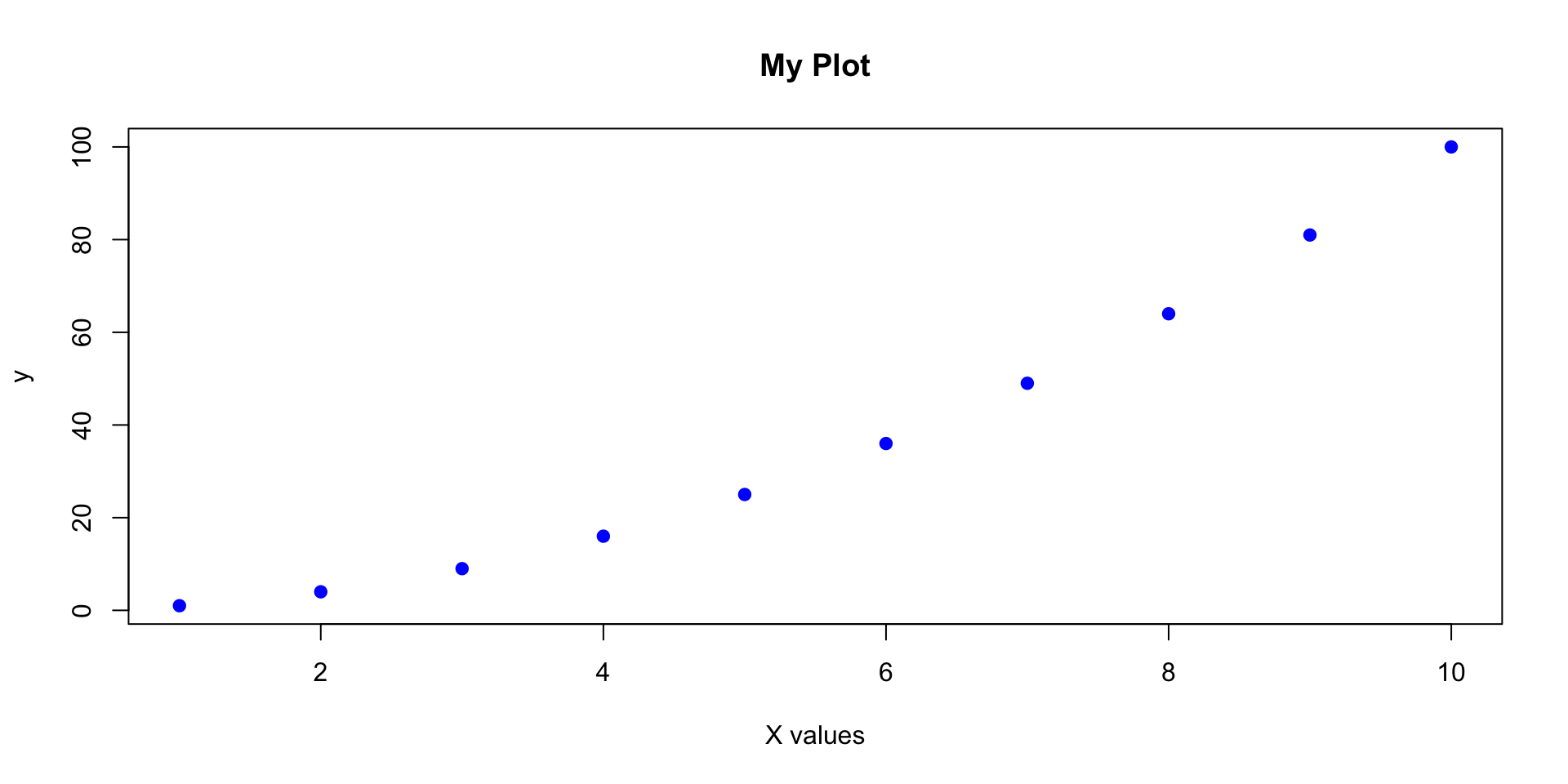
Example: Wrapper function with ...
When to write a function?
The “three times” rule
- If you copy-paste code three times, write a function
- Even twice might be worth it!
Before: repetitive code
Function-oriented programming
What is function-oriented programming?
- A style of organizing data analysis where every step is a function
- Benefits:
- Modularity: each function does one thing well
- Testability: easy to verify each step works
- Reproducibility: clear pipeline from raw data to results
- Debugging: isolate problems quickly
- Collaboration: others can understand and modify your work
Traditional “script” approach
Weaknesses:
Especially if the script is longer or more complex than this: - Harder to reuse parts - Difficult to test individual steps - Not always clear what each section does - Variables clutter global environment
Function-oriented approach
Define functions:
# Step 1: Load data
load_raw_data <- function(filepath) {
  read.csv(filepath)
}

# Step 2: Clean data
clean_data <- function(data) {
  data |>
    mutate(
      x = ifelse(x < 0, NA, x),
      y = log(y + 1)
    ) |>
    filter(complete.cases(data))
}

# Step 3: Fit model
fit_model <- function(data) {
  lm(y ~ x, data = data)
}

# Step 4: Create plot
plot_results <- function(data, model) {
  ggplot(data, aes(x = x, y = y)) +
    geom_point() +
    geom_smooth(method = "lm", color = "red")
}Principles of good functions
- Do one thing well: each function has a single, clear purpose
- Use descriptive names:
calculate_mean_age()notf1() - Keep them short: if a function is too long, break it into smaller functions
- Minimize side effects: don’t modify global variables
- Document your functions: explain what they do, what arguments they take, what they return
# Good: clear name, single purpose, documented
#' Calculate the coefficient of variation
#'
#' @param x A numeric vector
#' @param na.rm Logical; should missing values be removed?
#' @return The coefficient of variation (sd/mean)
coefficient_of_variation <- function(x, na.rm = TRUE) {
  sd(x, na.rm = na.rm) / mean(x, na.rm = na.rm)
}
Organizing your code
File structure for data analysis
project/
├── data/
│   ├── raw/              # Original, immutable data
│   └── processed/        # Cleaned data
├── R/
│   ├── 01_load.R        # Data loading functions
│   ├── 02_clean.R       # Data cleaning functions
│   ├── 03_analyze.R     # Analysis functions
│   └── 04_visualize.R   # Plotting functions
├── reports/
│   └── analysis.qmd      # Quarto document
├── output/
│   ├── figures/
│   └── tables/
└── main.R               # Main pipeline script
Example: main.R
# Main analysis pipeline
source("R/01_load.R")
source("R/02_clean.R")
source("R/03_analyze.R")
source("R/04_visualize.R")

# Load data
raw_data <- load_raw_data("data/raw/survey_data.csv")

# Clean data
clean_data <- clean_survey_data(raw_data)

# Analyze
summary_stats <- calculate_summary_statistics(clean_data)
model_results <- fit_regression_model(clean_data)

# Visualize
plot_distribution(clean_data, "age")
plot_regression_results(clean_data, model_results)

# Save results
save_results(summary_stats, "output/tables/summary_stats.csv")
save_plot(last_plot(), "output/figures/regression_plot.png")
Good practices
Documentation with roxygen2 comments
What is roxygen2?
- R package for documenting functions
- Special comments starting with
#' - Can generate help files automatically
- Standard format used in R packages
Key tags:
@param: describe arguments@return: describe output@examples: show usage
Learn more: roxygen2.r-lib.org
#' Calculate standardized effect size (Cohen's d)
#'
#' @param group1 Numeric vector for group 1
#' @param group2 Numeric vector for group 2
#' @param na.rm Logical; should missing values be removed? Default TRUE
#'
#' @return Numeric value representing Cohen's d effect size
#' @export
#'
#' @examples
#' group_a <- c(10, 12, 14, 16, 18)
#' group_b <- c(15, 17, 19, 21, 23)
#' cohens_d(group_a, group_b)
cohens_d <- function(group1, group2, na.rm = TRUE) {
  mean_diff <- mean(group1, na.rm = na.rm) - mean(group2, na.rm = na.rm)
  pooled_sd <- sqrt((var(group1, na.rm = na.rm) + var(group2, na.rm = na.rm)) / 2)
  return(mean_diff / pooled_sd)
}
Common pitfalls to avoid
- Modifying global variables inside functions
More pitfalls
- Overly complex functions
# BAD: does too many things
analyze_everything <- function(data) {
  # 100 lines of code doing loading, cleaning, analyzing, plotting...
}

# GOOD: break into smaller functions
load_data <- function(file) { ... }
clean_data <- function(data) { ... }
analyze_data <- function(data) { ... }
plot_results <- function(results) { ... }- Poor naming
Summary
Key takeaways
- Write functions to avoid repetition and improve code quality
- Function-oriented programming organizes analyses into modular, testable steps
- Good functions:
- Do one thing well
- Have clear names
- Include default arguments where appropriate
- Handle errors gracefully
- Are documented
- Organize projects with clear folder structure and pipeline scripts
Exam review questions
Live (anonymous) quiz
Menti link
QR code

Lab 5
Today’s lab: Function-oriented workflow
- Lab 5 provides hands-on practice with:
- Refactoring a data analysis script into a well-organized function-oriented project